
Best Website Builders for Small Businesses in the UK: Top Platforms Compared


UK Startup Blog Archive
Table of Contents
Choosing the right website builder can affect much more than how a small business website looks.
The platform influences how easily the business can update pages, appear in search results, accept payments, generate enquiries and add new features as it grows.
For most UK small businesses, Wix is one of the strongest all-round choices, while Shopify is better suited to businesses primarily focused on ecommerce.
Squarespace remains particularly attractive for design-focused service businesses, while Hostinger can provide good value for startups working with smaller budgets.
There is no single platform that is right for every company. A local trades business, online retailer and consultancy may all require completely different features.
A website should therefore be considered part of the wider digital presence needed to support business growth rather than simply somewhere to display a company name and telephone number.
What Should A Small Business Look For In A Website Builder?
The best website builder should make running the website easier rather than creating another complicated system for the owner to manage.
Several factors deserve particular attention.
Ease Of Use
Most small businesses do not have an internal web development team. A good platform should therefore allow owners or employees to update text, images, products and contact information without writing code.
Drag-and-drop editors can make this considerably easier, although greater simplicity sometimes means less design flexibility.
Pricing And Overall Value
The cheapest introductory price is not necessarily the cheapest long-term option.
Businesses should compare:
- Initial Subscription Cost: Check the actual amount payable after introductory discounts end.
- Annual Renewal Cost: Some heavily discounted plans renew at considerably higher rates.
- Domain Costs: Find out whether a custom domain is included and what it costs after the introductory period.
- Storage And Bandwidth: Make sure limits are sufficient for the intended website.
- Premium Features: Check whether essential functions require a more expensive plan.
Website costs should form part of the wider startup budget. Founders estimating their overall expenses may also need to calculate how much money is needed to start a business before choosing unnecessary premium tools.
SEO And Marketing Tools
A professional-looking site provides limited value if potential customers cannot find it.
Useful SEO features include editable page titles, meta descriptions, clean URLs, image alt text, sitemaps, redirects and mobile-friendly templates.
Marketing functions such as email campaigns, forms, social integrations and analytics can also reduce the number of separate platforms a small business needs.
A website normally works best when it supports a wider strategy for advertising a business and attracting customers rather than operating as an isolated online brochure.
Ecommerce Features
Businesses selling online should look beyond whether a builder simply offers an “online store”.
Important features include:
- Payment Processing: Support for suitable card and digital payment methods.
- Inventory Management: Accurate tracking of available products.
- Shipping Options: Flexible delivery and collection settings.
- Discount Codes: Tools for promotions and customer offers.
- Order Management: A clear system for processing and tracking purchases.
- Abandoned Checkout Tools: Features that may help recover incomplete purchases.
- Multichannel Selling: Integration with social platforms and marketplaces where required.
AI Website Building Tools
AI has become a much bigger part of website building in 2026.
Several major platforms can now generate page layouts, text, images, product descriptions and marketing material from relatively simple instructions.
These features can speed up the first draft of a site, but they should not replace human review. Generic AI-generated copy can make different businesses sound almost identical.
A strong website should still reflect the company’s customers, positioning and personality. That becomes particularly important when a company is trying to build a stronger brand.
Customer Support And Scalability
A platform that works for a three-page startup website may become restrictive once the business adds hundreds of products, multiple employees, booking systems or international customers.
Businesses should consider both their immediate requirements and what they may need over the next few years.
How Much Does A Website Builder Cost For A Small Business?
A small business can technically start building a website for free, but running a professional business site normally requires a paid plan.
Basic business websites may cost relatively little each month, while ecommerce, booking systems, advanced marketing features and large stores can push costs significantly higher.
The complete cost may include:
| Cost | What To Consider |
| Website Builder | Monthly or annual subscription |
| Domain | Registration and annual renewal |
| Business Email | Professional email addresses |
| Premium Apps | Booking, marketing or specialist functionality |
| Ecommerce | Higher plans may be required |
| Payment Processing | Fees on online transactions |
| Templates | Some premium designs cost extra |
| Marketing | Email, advertising and additional software |
Shopify, for example, currently positions its Basic plan at £19 per month when paid yearly, while GoDaddy advertises an entry paid website plan from £7.49 per month when billed annually.
Prices and promotions change regularly, so businesses should check both the introductory rate and the standard renewal price before committing.
Hostinger is another example where promotional multi-year pricing can look extremely low initially but renew at a higher standard rate.
A realistic business budget should therefore consider the cost over two or three years rather than comparing only the first month.
Is A Free Website Builder Good Enough For A Small Business?
Free website builders can be useful for testing a platform, validating an idea or creating an early prototype.
They are less suitable for businesses that need to appear established.
Free plans may include limitations such as:
- Platform Subdomain: The business may not be able to use its own domain.
- Builder Branding: Provider logos or advertisements may appear on the site.
- Storage Limits: Images and other content may be restricted.
- Ecommerce Restrictions: Online selling may require an upgrade.
- Limited Analytics: Detailed visitor information may not be available.
- Reduced Marketing Tools: Email or automation features may be restricted.
Square Online is an important exception for some sellers because it continues to provide a £0 option for starting an online store, with the business paying processing fees when sales are made.
Even so, a free site is usually better treated as a starting point than the permanent website of an established company.
Top 10 Website Builders For Small Businesses In The UK
The best website builder for a small business depends on what the website actually needs to achieve.
A local service company may prioritise simple editing, bookings and lead generation, while an online retailer will need stronger ecommerce, inventory and payment tools.
The 10 website builders below have been selected to cover different small-business needs, including ease of use, pricing, SEO, ecommerce, AI tools, design flexibility, integrations and long-term scalability.
Rather than ranking platforms only by popularity, each option is matched to the type of business it is best suited to.
Businesses should also look beyond the cheapest introductory plan. Renewal prices, premium apps, transaction fees and future upgrade requirements can significantly affect the real cost of running a website.
Choosing a platform that can support realistic future growth may also reduce the need for a difficult website migration later.
1. Wix – Best Overall Website Builder For Small Businesses
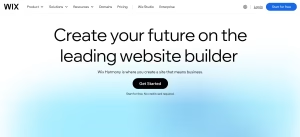
Best For: Startups, local businesses, service companies and small online stores
Free Option: Yes
Ease Of Use: Beginner-Friendly
Main Strength: Flexible design with strong business tools
Main Limitation: Costs can increase as more features are added
Why Does Wix Stand Out?
Wix is a strong all-round option because businesses can start with a simple website and later add ecommerce, bookings, blogs, payments and marketing tools without changing platforms.
Its drag-and-drop editor and AI-assisted tools also make it accessible to businesses with limited technical experience.
Key Wix Features:
Wix combines website creation with several useful tools that can support a business as it grows.
- AI Website Building: Helps generate layouts, pages and content
- Ecommerce: Supports products, payments and inventory
- Bookings: Useful for appointment-based businesses
- SEO Tools: Provides important on-page optimisation controls
- Marketing Tools: Includes forms, email marketing and automation
Where Does Wix Fall Short?
Wix can become more expensive when a business moves to higher plans or adds premium apps. Companies requiring extensive technical customisation may also find WordPress or Webflow more suitable.
Who Is Wix Best For?
Wix works particularly well for startups, freelancers, restaurants, local service businesses and smaller ecommerce companies that want an easy platform with room to expand.
Wix Verdict: Wix is one of the strongest overall options for small businesses because it combines simplicity, flexibility, and a broad range of business tools.
2. Squarespace – Best For Professional Design

Best For: Creatives, consultants, service businesses and professional brands
Free Option: Free Trial
Ease Of Use: Easy
Main Strength: High-quality professional templates
Main Limitation: Less flexible than some competing platforms
Why Does Squarespace Stand Out?
Squarespace places a strong emphasis on design. Its templates are particularly suitable for businesses that need their website to create a polished and professional first impression.
It also combines website building with ecommerce, scheduling, blogging and marketing functionality.
Key Squarespace Features: Squarespace offers a balanced set of tools for businesses where branding and presentation are particularly important.
- Professional Templates: Modern designs suitable for many industries
- Ecommerce: Supports products, services and digital sales
- Scheduling: Useful for appointments and service bookings
- SEO Tools: Includes essential optimisation controls
- Marketing: Supports email campaigns and lead generation
Where Does Squarespace Fall Short?
Its structured editor offers less freedom than Wix or Webflow. Businesses requiring highly customised functions may therefore find the platform restrictive.
Who Is Squarespace Best For?
Squarespace is well suited to designers, photographers, consultants, beauty businesses, restaurants and professional service companies.
Squarespace Verdict: Squarespace is a particularly strong choice when professional design and brand presentation are more important than extensive technical customisation.
3. Hostinger Website Builder – Best For Budget-Conscious Startups
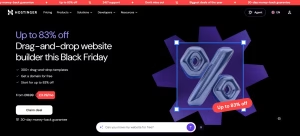
Best For: New businesses and startups working with smaller budgets
Free Option: No Permanent Full Free Plan
Ease Of Use: Beginner-Friendly
Main Strength: Affordable website creation with AI tools
Main Limitation: Smaller ecosystem than larger platforms
Why Does Hostinger Stand Out?
Hostinger combines website hosting, AI-assisted website creation and ecommerce tools within relatively affordable packages.
This can make it attractive to founders who need a professional site without committing a large proportion of their early budget to web development.
Key Hostinger Features:
Its tools focus strongly on making website creation quick and accessible.
- AI Website Builder: Generates an initial website from business information
- AI Content Tools: Helps create text and other website elements
- Ecommerce: Supports online products and payments
- Templates: Includes responsive business designs
- SEO Tools: Provides basic optimisation controls
Where Does Hostinger Fall Short?
Hostinger has fewer third-party integrations and advanced extensions than platforms such as WordPress, Shopify or Wix. Businesses should also pay attention to renewal prices after introductory offers end.
Who Is Hostinger Best For?
Hostinger is a practical option for anyone starting a business in the UK who wants to keep initial website costs relatively low.
Hostinger Verdict: Hostinger offers good value for startups that want a straightforward, AI-assisted website without paying for advanced features they may not initially need.
4. Shopify – Best For Ecommerce Businesses

Best For: Online stores and product-focused businesses
Free Option: Trial
Ease Of Use: Easy
Main Strength: Specialist ecommerce functionality
Main Limitation: Can be expensive for businesses with simple requirements
Why Does Shopify Stand Out?
Shopify is designed around ecommerce rather than treating online selling as an additional website feature.
It gives businesses tools for managing products, orders, payments, inventory, discounts and multiple sales channels from one platform.
Key Shopify Features:
Shopify provides a strong set of tools for businesses that expect online sales to form a significant part of their revenue.
- Product Management: Handles large product catalogues and variants
- Inventory: Tracks stock across sales channels
- Payments: Supports integrated online payment processing
- Apps: Offers a large marketplace of business extensions
- Analytics: Provides detailed sales and customer reporting
Where Does Shopify Fall Short?
Subscription charges, payment costs and paid apps can increase the total expense. Businesses that only need an informational website may find Shopify unnecessarily powerful.
Who Is Shopify Best For?
Shopify works best for businesses selling physical or digital products online, particularly those expecting order volumes to increase.
Growing stores can also use Shopify apps to automate ecommerce operations as manual management becomes less practical.
Shopify Verdict: Shopify is one of the strongest choices when ecommerce is the main purpose of the website rather than an occasional additional feature.
5. GoDaddy Website Builder – Best For Quick Website Setup
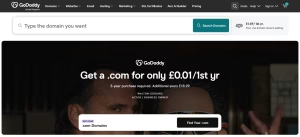
Best For: Local businesses, tradespeople and simple service websites
Free Option: Available With Limitations
Ease Of Use: Very Easy
Main Strength: Fast and simple website creation
Main Limitation: Limited advanced customisation
Why Does GoDaddy Stand Out?
GoDaddy focuses on helping businesses get online quickly without requiring significant technical knowledge.
Its guided setup, templates and AI-assisted tools can make it possible to create a simple company website relatively quickly.
Key GoDaddy Features
The platform concentrates on essential features rather than overwhelming users with advanced development controls.
- AI Website Creation: Helps build an initial website quickly
- Templates: Provides mobile-friendly business designs
- Appointments: Supports bookings for service businesses
- Marketing Tools: Includes email and social functionality
- Domain Integration: Works closely with GoDaddy’s domain services
Where Does GoDaddy Fall Short?
Design flexibility and advanced development options are more limited than those available from Wix, Webflow or WordPress.
Who Is GoDaddy Best For?
GoDaddy is best suited to tradespeople, local services and small companies that mainly need a professional website containing services, contact information and enquiry options.
GoDaddy Verdict: GoDaddy is a practical choice for businesses that prioritise speed and simplicity over extensive design or technical control.
6. WordPress – Best For SEO And Long-Term Growth
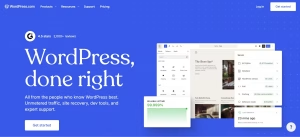
Best For: Content-led businesses and companies planning long-term expansion
Free Option: WordPress Software Is Free
Ease Of Use: Moderate
Main Strength: Extensive flexibility and control
Main Limitation: Requires more maintenance and technical management
Why Does WordPress Stand Out?
WordPress offers significantly more control than most closed website builders. Businesses can choose their own hosting, themes, plugins and ecommerce tools.
It is particularly strong for companies that expect blogging, content marketing and organic search to become important customer acquisition channels.
Key WordPress Features: Its large ecosystem makes WordPress suitable for everything from small business websites to major ecommerce and publishing platforms.
- SEO Control: Extensive optimisation through plugins and settings
- Plugins: Thousands of extensions for additional functionality
- WooCommerce: Enables comprehensive ecommerce capabilities
- Content Management: Strong tools for blogs and large websites
- Customisation: Allows extensive control over design and functionality
Where Does WordPress Fall Short?
Businesses may need to manage hosting, security, software updates, backups and plugin compatibility depending on how the website is configured.
Who Is WordPress Best For?
WordPress is most suitable for businesses expecting significant content growth, complex functionality or a need for greater long-term ownership and flexibility.
WordPress Verdict: WordPress is a strong long-term option for businesses willing to accept slightly more technical management in exchange for greater control and scalability.
7. Webflow – Best For Advanced Customisation

Best For: Design-focused businesses and companies wanting custom layouts
Free Option: Yes, With Restrictions
Ease Of Use: Moderate
Main Strength: Advanced visual design control
Main Limitation: Steeper learning curve
Why Does Webflow Stand Out?
Webflow provides much greater control over page layouts and responsive design than most beginner-focused website builders.
It allows businesses and designers to build highly customised websites without developing every element entirely through traditional coding.
Key Webflow Features:
Webflow combines visual website building with more advanced design capabilities.
- Visual Designer: Provides detailed control over page elements
- Responsive Design: Allows layouts to be adjusted across devices
- CMS: Supports structured and dynamic content
- SEO Controls: Offers detailed page-level optimisation options
- Animations: Enables advanced visual interactions
Where Does Webflow Fall Short?
The platform takes longer to learn than Wix, GoDaddy or SITE123. Small businesses wanting only a basic website may therefore find it unnecessarily complex.
Who Is Webflow Best For?
Webflow is best suited to design-led startups, agencies and companies wanting a distinctive website without relying entirely on custom development.
Webflow Verdict: Webflow is a strong choice for businesses that value advanced design freedom and are willing to accept a steeper learning curve.
8. Square Online – Best For Retail And Local Businesses

Best For: Retailers, cafés and businesses combining online and physical sales
Free Option: Yes
Ease Of Use: Easy
Main Strength: Integration with Square payments and point-of-sale tools
Main Limitation: Less design flexibility than general-purpose builders
Why Does Square Online Stand Out?
Square Online is particularly useful for businesses already using Square for in-person payments.
It allows retailers to connect online ordering, physical sales and payment processing through the same wider ecosystem.
Key Square Online Features:
Its strongest features focus on selling rather than advanced website design.
- Online Store: Supports products and online ordering
- Square Payments: Integrates directly with Square’s payment system
- Inventory Syncing: Helps coordinate online and physical stock
- Local Collection: Useful for nearby customers
- Free Entry Option: Allows smaller businesses to start selling with limited upfront cost
Where Does Square Online Fall Short?
Businesses looking for highly customised layouts or sophisticated content websites will find more flexibility with Wix, WordPress or Webflow.
Who Is Square Online Best For?
Square Online works particularly well for independent retailers, cafés, food businesses and small shops that need online ordering alongside physical sales.
Square Online Verdict: Square Online is a practical option for smaller retailers that want their ecommerce website and in-person payment system to work closely together.
9. SITE123 – Best For Beginners

Best For: First-time website owners and simple service businesses
Free Option: Yes
Ease Of Use: Very Easy
Main Strength: Simple and fast website setup
Main Limitation: Limited design freedom
Why Does SITE123 Stand Out?
SITE123 keeps the website-building process relatively simple by limiting some of the more complicated design controls found on advanced platforms.
This can benefit small business owners who simply want to publish essential business information without spending significant time learning website design.
Key SITE123 Features:
The platform focuses mainly on straightforward website creation.
- Templates: Provides ready-made responsive designs
- Hosting: Included with the website builder
- Forms: Helps businesses collect enquiries
- SEO Tools: Includes basic optimisation settings
- Ecommerce: Supports smaller online selling requirements
Where Does SITE123 Fall Short?
Businesses have less design freedom and access to fewer advanced integrations than they would with Wix, Shopify or WordPress.
Who Is SITE123 Best For?
SITE123 is best for beginners, freelancers and smaller service businesses that prioritise simplicity over extensive customisation.
SITE123 Verdict: SITE123 is useful for creating a straightforward business website quickly, but growing businesses may eventually require a more flexible platform.
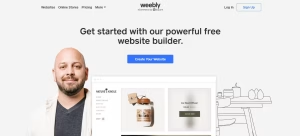
10. Weebly – Best For Simple Business Websites
Best For: Basic websites and smaller businesses with straightforward requirements
Free Option: Yes
Ease Of Use: Easy
Main Strength: Straightforward drag-and-drop editing
Main Limitation: Development has fallen behind several newer competitors
Why Does Weebly Stand Out?
Weebly became popular because it allowed people with little technical experience to create basic websites through a simple visual editor.
Its connection with Square can still make it relevant for some smaller businesses, particularly those already using the wider Square ecosystem.
Key Weebly Features:
Weebly covers the core functions required by a straightforward small business website.
- Drag-And-Drop Editor: Makes basic page creation easy
- Templates: Provides pre-designed website layouts
- Ecommerce: Supports online products and payments
- Forms: Allows businesses to collect customer enquiries
- Square Integration: Connects with Square’s wider commerce tools
Where Does Weebly Fall Short?
Weebly has not developed as quickly as platforms such as Wix, Shopify, Hostinger and Webflow, particularly around AI and more advanced website functionality.
Businesses starting a new website should therefore compare its features carefully against newer alternatives.
Who Is Weebly Best For?
Weebly can still suit businesses with very simple website requirements or companies already comfortable with its existing tools and Square integrations.
Weebly Verdict: Weebly remains suitable for basic websites, but businesses building from scratch should compare it closely with newer platforms offering stronger modern features.
Comparison Of The Top 10 Website Builders For Small Businesses
| Website Builder | Best For | Free Option | Ecommerce | SEO | Ease Of Use | AI Features |
| Wix | Overall Small Business Use | Yes | Strong | Strong | Very Easy | Strong |
| Squarespace | Design And Services | Trial | Strong | Strong | Easy | Good |
| Hostinger | Budget Startups | No Permanent Full Business Plan | Good | Good | Very Easy | Strong |
| Shopify | Ecommerce | Trial | Excellent | Strong | Easy | Strong |
| GoDaddy | Quick Setup | Yes | Good | Good | Very Easy | Strong |
| WordPress | SEO And Growth | Depends On Setup | Excellent | Excellent | Moderate | Varies |
| Webflow | Advanced Design | Yes | Good | Strong | Moderate | Strong |
| Square Online | Retail And Local Selling | Yes | Strong | Good | Easy | Limited |
| SITE123 | Beginners | Yes | Basic | Good | Very Easy | Limited |
| Weebly | Simple Websites | Yes | Good | Basic | Easy | Limited |
The table should be treated as a starting point rather than a universal ranking. A platform rated “excellent” for ecommerce may still be the wrong choice for a consultancy that only needs five service pages and a contact form.
Which Website Builder Is Best For Different Types Of Small Businesses?
Different business models place different demands on a website.
Best For Local And Service Businesses
Wix, Squarespace and GoDaddy are particularly suitable for local service companies.
Tradespeople, accountants, tutors, consultants, salons and similar businesses often need:
- Service Pages: Clear explanations of individual services.
- Contact Forms: Simple lead generation.
- Local Information: Addresses, operating areas and opening hours.
- Bookings: Appointment scheduling where relevant.
- Reviews: Social proof from previous customers.
- Mobile Design: Easy use by customers searching from smartphones.
These businesses do not necessarily need sophisticated ecommerce systems.
Best For Ecommerce
Shopify is the strongest specialist option for businesses expecting online sales to become a major source of revenue.
Square Online may suit smaller retailers, while Wix can be a good middle ground for businesses combining ecommerce with other website functions.
Businesses should look closely at payment charges, inventory limits, shipping tools and app costs before making their decision.
Best For Startups
Wix and Hostinger both work well for businesses in their early stages.
Hostinger can keep costs relatively low, while Wix provides more flexibility if the company’s requirements are likely to change.
The website should still fit into the company’s wider objectives.
Preparing a proper business plan can help founders decide whether the website primarily needs to generate leads, sell products, demonstrate credibility or support another sales channel.
Best For Freelancers And Consultants
Squarespace and Wix are particularly strong options.
Freelancers normally need a professional design, service information, testimonials, case studies and a simple enquiry or booking process rather than a complicated ecommerce system.
Best For Businesses On A Budget
Hostinger, GoDaddy, SITE123 and Square Online deserve consideration where price is particularly important.
However, the cheapest initial option is not always the best-value option.
Moving an established website later can consume considerable time and potentially create SEO problems, so businesses should consider what they are likely to require in two or three years.
What Hidden Costs Should Small Businesses Consider?
Subscription price is only one part of website ownership.
Domain And Email Costs
Some plans include a free domain for the first year, but renewal charges normally apply later.
Business email can also be a separate service.
Using an address such as contact@yourbusiness.co.uk generally creates a more professional impression than relying on a personal email account.
Premium Apps And Add-Ons
A business may eventually need additional tools for:
- Bookings
- Email Marketing
- Live Chat
- Subscriptions
- Reviews
- Accounting
- Customer Relationship Management
- Shipping
Several small monthly subscriptions can significantly increase the real cost of running the website.
Payment And Transaction Fees
Ecommerce businesses should pay particular attention to payment costs.
A platform may charge payment processing fees, additional transaction fees for external payment providers or different rates according to the subscription level.
On a store processing substantial sales, relatively small percentage differences can become financially important.
Renewal And Upgrade Costs
Introductory promotions can make one builder appear substantially cheaper than another.
Always check:
Promotional Cost → Normal Renewal Cost → Cost Of The Plan You Will Actually Need
A business that requires ecommerce after six months may discover that the attractive entry-level plan never included the features it needed.
Website Builder Vs WordPress: Which Is Better For A Small Business?
Website builders are generally easier to manage.
Hosting, security and software updates are usually handled largely by the provider, allowing the business to concentrate on its pages and customers.
Self-hosted WordPress provides more control.
| Factor | Website Builder | Self-Hosted WordPress |
| Setup | Easier | More Technical |
| Hosting | Usually Included | Separate |
| Maintenance | Mostly Managed | More Owner Responsibility |
| Design Control | Platform Dependent | Very High |
| Plugins | Limited To Ecosystem | Extensive |
| SEO | Usually Good | Highly Flexible |
| Ecommerce | Built-In On Many Platforms | Usually WooCommerce |
| Scalability | Depends On Provider | Very High |
| Migration | Can Be Restrictive | Greater Control |
A local business wanting a straightforward five-page website may gain little from managing WordPress hosting, plugins and maintenance.
A publishing company, complex membership platform or business expecting extensive customisation could benefit significantly from the greater control.
Can A Website Builder Grow With Your Business?
Scalability should be considered before the website becomes difficult to replace.
Imagine a business beginning with:
5 Pages → 50 Pages → 500 Pages
or an ecommerce company moving from:
20 Products → 500 Products → 10,000 Products
Requirements change quickly.
Growing businesses may eventually need:
- Multiple Staff Accounts
- Advanced Permissions
- CRM Integrations
- Marketing Automation
- Large Product Catalogues
- International Payments
- Multiple Currencies
- Subscription Billing
- Advanced Analytics
- API Access
Platforms such as Shopify, WordPress, Wix and Webflow generally provide clearer routes towards more complex use cases than very simple entry-level builders.
The right decision depends on how realistic that growth is. A local plumbing business does not need enterprise ecommerce infrastructure simply because it might theoretically expand one day.
What Does A UK Small Business Website Legally Need?
Building the website is only part of the job. UK businesses must also consider the information and data practices connected with running it.
Limited companies are required to display certain company information on their websites, including the registered company number, registered office address and where the company is registered.
Businesses collecting personal information should also explain how the data is used.
A typical commercial website may therefore require:
- Company Details: Appropriate legal business information.
- Privacy Information: Clear information about how personal data is collected and handled.
- Cookie Controls: Appropriate information and choices where non-essential cookies or tracking technologies are used.
- Terms And Conditions: Particularly important where products or services are sold.
- Returns And Cancellation Information: Relevant consumer information for online sales.
- Contact Information: Customers should be able to identify and contact the business.
Cookie rules deserve particular attention. Businesses using non-essential tracking technologies should not simply assume that displaying a banner saying “By continuing you agree” automatically provides valid consent.
Legal requirements depend on how the site operates, so businesses with complex ecommerce, subscriptions or significant personal-data processing may need professional advice.
Which Website Builder Should A Small Business Choose?
The right website builder depends mainly on what the business needs the website to do. Instead of looking for the platform with the longest feature list, small businesses should match the builder to their priorities, budget and expected growth.
| Website Builder | Best Choice For |
| Wix | Small businesses wanting an easy-to-use platform with flexible design, marketing and ecommerce features |
| Squarespace | Service businesses, creatives and brands where professional design is a priority |
| Hostinger | Startups looking for a lower-cost option with simple AI-assisted website creation |
| Shopify | Businesses where online selling, inventory and order management are central |
| GoDaddy | Local businesses wanting to publish a straightforward website quickly |
| WordPress | Businesses focused on content, SEO, flexibility and long-term expansion |
| Webflow | Companies wanting greater control over advanced design and custom layouts |
| Square Online | Retail businesses combining physical sales with online ordering |
| SITE123 | Beginners who value simplicity over extensive customisation |
| Weebly | Businesses that only need a simple website with basic functionality |
For a typical UK small business that wants a combination of simplicity, flexibility and room to expand, Wix is likely to be the strongest all-round option.
Businesses focused heavily on ecommerce may get more value from Shopify, while companies publishing large amounts of content or planning extensive customisation may prefer WordPress.
The final decision should be based on the features the business will realistically use.
Paying for advanced ecommerce, automation or design tools offers little value if the website only needs to generate enquiries, while choosing an overly basic platform can create unnecessary migration work once the business begins to grow.
Conclusion
A website builder gives a UK small business the ability to establish a professional online presence without paying for a fully custom-built website from the beginning.
Wix is one of the strongest overall options because of its flexibility, while Shopify stands out for ecommerce and Squarespace remains particularly suitable for design-focused businesses.
Hostinger and GoDaddy can appeal to founders trying to keep early website costs under control.
Price should not be the only deciding factor.
SEO capabilities, ecommerce features, mobile usability, AI tools, customer support, hidden fees and scalability can become much more important after the website begins attracting customers.
The best approach is to define what the business needs today, estimate what it is realistically likely to need over the next few years and then choose the builder that can support both stages without unnecessary complexity.
Frequently Asked Questions
What Is The Best Website Builder For A Small Business In The UK?
Wix is a strong overall choice for many UK small businesses because it combines ease of use, design flexibility, ecommerce, bookings, marketing and SEO tools.
What Is The Cheapest Website Builder For A Small Business?
Several platforms offer free or heavily discounted entry plans. Hostinger, GoDaddy, SITE123 and Square Online are worth comparing, but businesses should check renewal prices and feature limits before choosing.
Is Wix Good For Small Businesses?
Yes. Wix suits service companies, startups, local businesses and smaller ecommerce operations because businesses can add features as their requirements develop.
Is Shopify Worth It For A Small Business?
Shopify can be worth the cost when selling products online is central to the business. A service company that does not require ecommerce may be better served by a simpler platform.
Can A Small Business Use A Free Website Builder?
Yes, particularly for testing an idea or building an initial site. However, free plans commonly include limitations involving domains, branding, ecommerce or business functionality.
Which Website Builder Is Best For SEO?
WordPress offers extensive SEO control, while Wix, Squarespace, Shopify and Webflow provide strong built-in SEO capabilities suitable for many small businesses.
How Much Does A Small Business Website Cost?
A basic website can cost relatively little each month using a website builder. The real cost depends on the subscription, domain, email, apps, ecommerce requirements, payment processing and marketing tools.
Can You Change Website Builders Later?
Yes, but migration is not always simple. Domains can generally be transferred or redirected, while designs, layouts, products and other website data may require rebuilding or manual migration.

Startup mentor & Blogger | Sharing leadership tips for UK business owners
Related Articles in Startup
View All →
Newscivil Com: Can This Digital News Platform Help UK Startups Spot Emerging Trends?
For startup founders, staying informed is no longer simply about reading the business pages each morning. Artificial intelligence, changing consumer habits, technology developments, government decisions and wider social…

Meet the Startup Turning Screen Time Into a New Way to Make Money
Britain does not exactly have a shortage of side hustles. You can deliver takeaways, sell clothes online, start freelancing, walk dogs, tutor in the evenings or attempt to…

8 Best Coworking Spaces for Bootstrapped London Startups to Launch and Scale in 2026
Bootstrapped founders don’t have the luxury of a fitted-out HQ from day one. What you need is a London coworking space that flexes with you: a hot desk…